Example · AI in Umbraco
AI in Umbraco gives editors time, and everything lands as a draft
AI has come to Umbraco. Umbraco is Danish open source, and the AI packages come from Umbraco itself. You choose the model and provider, permissions and history work as always, and everything AI produces lands as a draft. We have put the packages to work where the editor already works, and here are four examples from our own Umbraco 18 demo: three for the editor and one for visitors.
The starting point
Editors rarely need a chatbot, but they almost always need time
Most pages are not held up by the main text. They are held up by everything around it: the meta description that has to stay under 155 characters, the image that is not in the media library and the proofreading nobody gets to on a Friday afternoon.
If AI lives in another tool, we just move the work. The editor has to copy the text out, explain the context and paste the answer back in. That is why it matters that AI now lives in Umbraco, where permissions, drafts and history already work.

Umbraco partner
Contributing Partner at Platinum level.
Apply Agency is an official Umbraco Contributing Partner. We do not just build solutions on Umbraco. We contribute to the platform and the community, which is why we are comfortable adopting new packages early.
Read the news01
SEO copy in one click
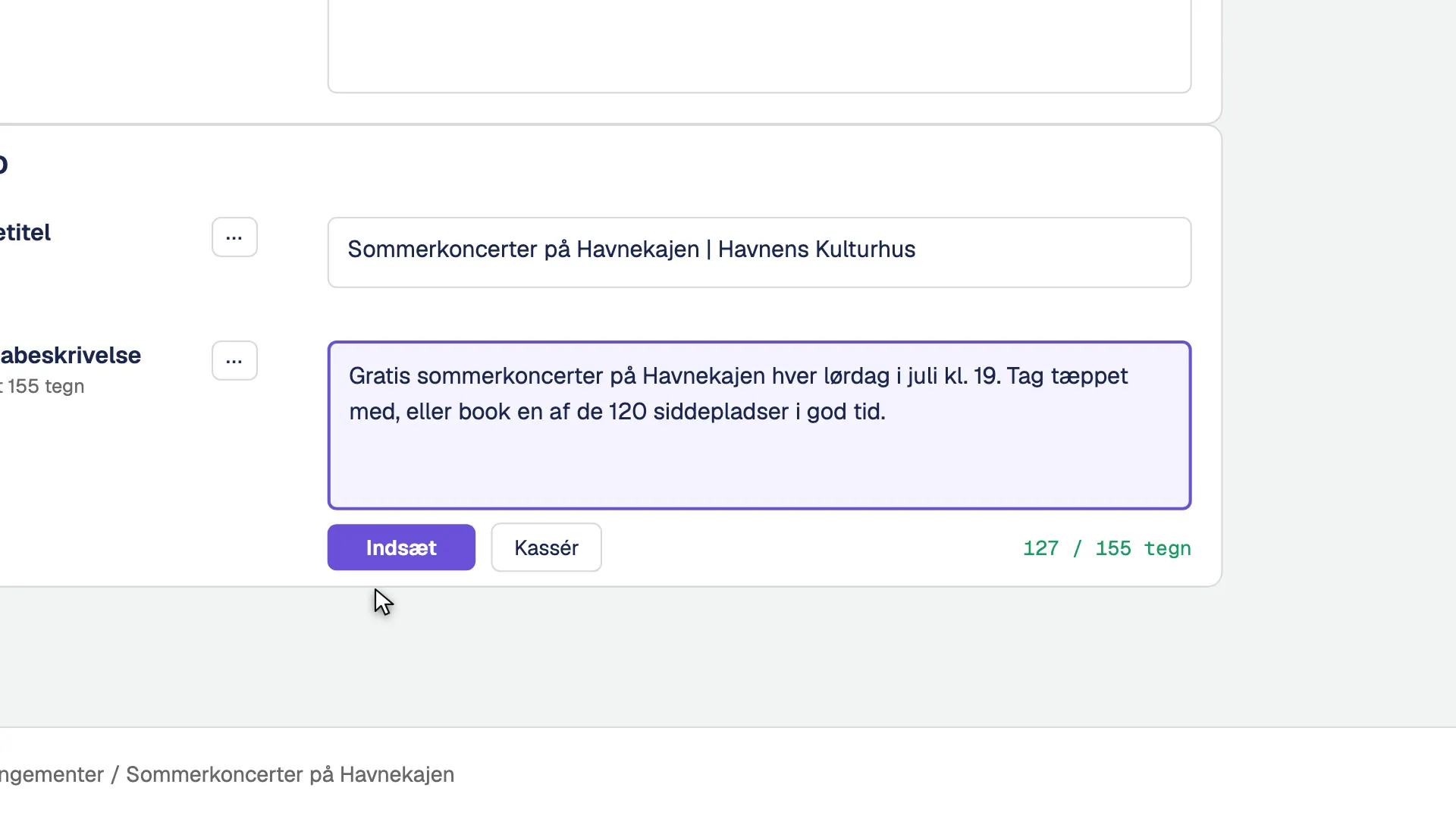
Selected fields get four fixed actions: short summary, write more clearly, translate to English and SEO description. AI reads the whole page, not just the field, and stays within the field's rules. The editor sees the suggestion before it goes in.
How it holds up
- Umbraco.AI prompts attached directly to the fields
- Your editorial guidelines are sent along every time
- Nothing is saved until the editor presses the button
02
An image that fits the page
Every image field gets an extra action. AI reads the page and suggests a subject, and the editor approves the description before any money is spent on generating it. The image lands in the media library with a name you can find again and is selected in the field.
How it holds up
- Works in every image field, including inside blocks
- Never in logo fields. Nobody needs a logo AI made up
- Only for users with permission and with a cap on calls
- Image generation is our own extension on top of Umbraco.AI

03
Copilot as a proofreader
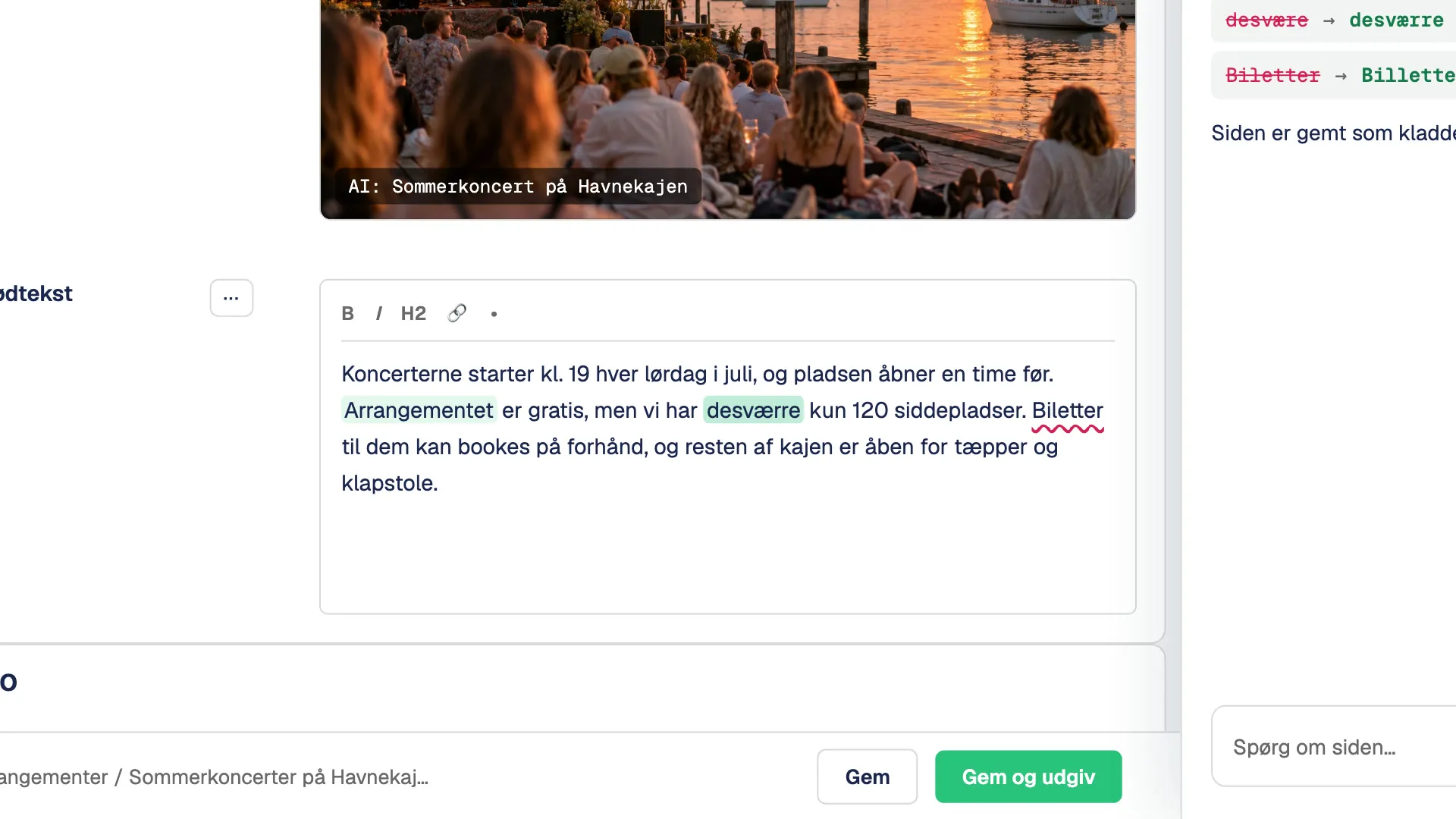
Copilot sits in a side panel in Umbraco and works on the page the editor has open. Ask it to find typos, tighten an introduction or look for outdated dates. It edits a draft. The editor still publishes.
How it holds up
- An agent with a short, fixed list of tools
- Publishing requires a separate approval
- No deleting and no user administration
04 · Search
Search that understands the question.
The same AI helps visitors too. Search on the site runs two searches at once. Text search finds the exact words, word stems and text in public PDFs as you type. Vector search finds pages with the same meaning, even when none of the words match.
So people can type like people: what can we do with the kids at the weekend if it rains? The AI results stand on their own, so nobody is in doubt about what is an exact match.
- Umbraco.AI.Search with a vector index on top of Umbraco's own search
- Only published, public content is indexed
- Visitors switch AI search on themselves and are told the text is sent on
Umbraco's AI packages
Most of this comes from Umbraco itself.
Umbraco has released a set of AI packages. They cover the connection to the models, prompts on fields, agents, Copilot, search and automation. We use them as the foundation and only build what is missing.
-
Umbraco.AI
The core. Connections to AI providers, profiles per task, shared context, guardrails, tests and monitoring of usage.
In the films
-
Umbraco.AI.OpenAI
The provider that connects Umbraco.AI to OpenAI's models. The API key lives in the backoffice and is never shown again.
In the films
-
Umbraco.AI.Prompt
Fixed AI actions on fields, such as summaries, rewrites, translation and SEO copy.
In the films
-
Umbraco.AI.Agent
Agents with a fixed list of tools and an approval flow before they may do anything that cannot be undone.
In the films
-
Umbraco.AI.Agent.Copilot
The assistant in the side panel that works on the page the editor has open.
In the films
-
Copilot Workspace
A separate Copilot section with saved conversations and projects.
-
Umbraco.AI.Search
Semantic search that finds content with the same meaning, not just the same words.
In the films
-
Umbraco.AI.Automate
Lets an agent run as a step in a workflow in Umbraco Automate.
Several of the packages are still release candidates. The image generation and the cost tab are our own extensions on top of Umbraco.AI.
What does it cost?
The finance director's question deserves an answer in kroner.
In a mid-sized organisation the communications people often sit centrally, while editors are spread across departments, units and local offices. So we set AI usage in fixed budgets of DKK 100, 300 or 800 a month. You only pay for what you use, at the AI provider's list price and with no markup from us, and usage can be followed in kroner in Umbraco. Pick a budget and a number of editors and see how far it goes.
The example spends 40% of the package on copy, 40% on images and 20% on Copilot tasks.
- 1 piece of copyDKK 0.01
- 1 imageDKK 0.30
- 1 Copilot taskDKK 0.10
The package covers about
- Copy
- 0
- 0 per person per month
- Images
- 0
- 0 per person per month
- Copilot tasks
- 0
- 0 per person per month
Calculated from OpenAI's list prices and typical amounts from our demo, converted at 1 USD = DKK 6.40. Prices exclude VAT.
The real ledger lives in Umbraco
In the AI section of the backoffice we have added a tab showing usage in kroner: per task, model, user and call. The estimate is checked against what OpenAI actually billed, and every editor can see their own usage on their profile.
Under the hood
Built on Umbraco's own building blocks.
Umbraco 18 and Umbraco.AI
Prompts, agents, Copilot and AI search come from Umbraco's own packages. We build on top of them instead of next to them.
Ordinary backoffice extensions
The image action, the cost tab and the usage on the profile are extensions like any other. They follow Umbraco's permissions and upgrades.
Your model, your choice
Umbraco.AI has providers for OpenAI, Anthropic, Google and the French Mistral, among others. For Scaleway in Paris, which keeps no data by default, we have built a provider ourselves, and the same route can point to your own models on your own servers in Denmark or Germany. Each AI profile can switch model without code changes.
See the three routes to a modelTesting without a bill
The browser tests run against a test provider that gives the same answer every time. So we can test the whole flow without paying for a single call.
What we do not promise
AI writes suggestions, and a person still publishes
- AI copy is a suggestion. It has to be read before it is published.
- Guidelines and guardrails are not fact-checking. If your content needs professional approval, it still needs professional approval.
- Umbraco's AI packages are new. We assess their maturity in each project and only switch on what holds up.